What’s New in Microsoft 365 – April 2026
Wednesday, April 15, 2026
Microsoft 365 continues to introduce updates that make learning, teaching and collaboration easier across campus. From smarter AI tools to improved task management in Teams, these updates help students, faculty and staff work faster and stay organized.
Microsoft Teams: Create Workflows with Slash Command
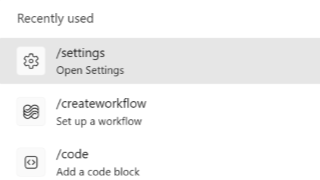
Microsoft Teams will introduce a new /createworkflow command that allows users to quickly create automated workflows directly from the message compose box in chats and channels. Workflows can help automate routine tasks such as sending notifications, creating tasks or starting simple approval processes. By typing /createworkflow while composing a message, users can begin building an automation without navigating through menus.
Microsoft Teams: Meeting Notes for Instant Meetings
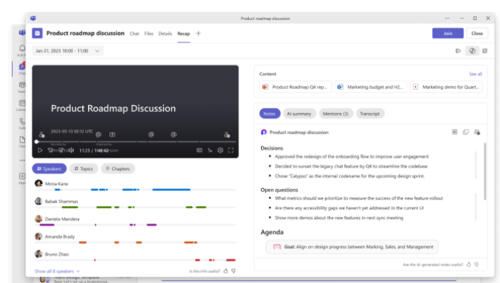
Microsoft Teams will allow users to add meeting notes to instant meetings, such as those started with Meet Now or from a chat. Powered by Microsoft Loop, these notes allow participants to collaboratively create agendas, capture key points and assign action items during a meeting.
Notes can be added directly from the meeting controls, stay synchronized for all participants and remain available after the meeting in the Recap tab. Tasks created in notes can also connect with Microsoft Planner and To Do. This feature will be enabled automatically and requires no action from users.
Outlook Lite: Switch to Microsoft Outlook Mobile App Before May 25, 2026
Microsoft will complete the retirement of the Outlook Lite app for Android on May 25, 2026. After this date, the app will no longer provide access to email or other mailbox features, even if it remains installed on a device.
Users currently using Outlook Lite should switch to the Microsoft Outlook mobile app, where all email, calendar items and attachments will remain available after signing in.
Coming to M365 in May 2026
Microsoft Teams: Identify External Bots in Meetings
Microsoft Teams will introduce a new feature that detects and labels external bots attempting to join meetings, such as AI assistants used for transcription or note-taking. When a bot is identified, it will be clearly labeled in the meeting lobby so organizers know it is not a person.
Meeting organizers will be able to approve, deny or remove these bots, giving them
more control over who joins and what tools can access meeting content. 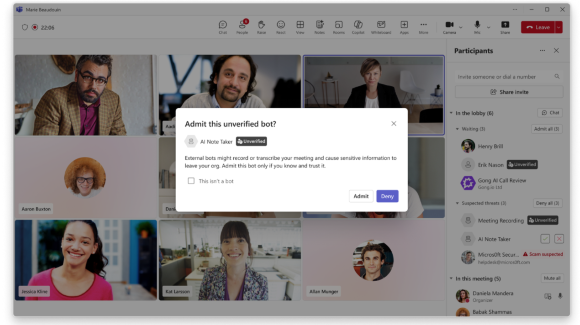
Microsoft OneDrive: Changes to File Deletion and Recovery
Files deleted from OneDrive or SharePoint in the cloud will no longer appear in your
device' Recycle Bin (Windows) or Trash (Mac), even if they were previously synced
to your computer. Instead, deleted files will be available for recovery in the OneDrive
or SharePoint web recycle bin. Files deleted directly on your device will continue
to appear in your local Recycle Bin or Trash as usual. 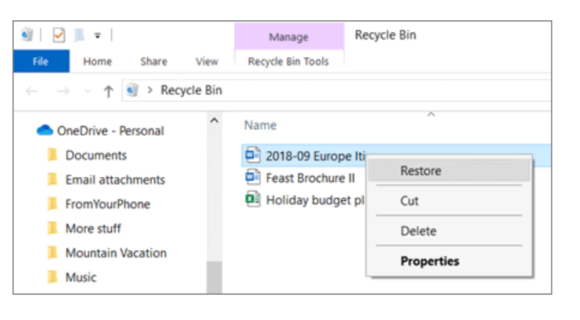
Microsoft Teams: Planner Coming to Private and Shared Channels
Microsoft Teams will allow users to add Planner tabs to private and shared channels, making it easier to organize and track tasks directly
within focused team spaces. This is especially useful for smaller group work, projects
with restricted access or collaborations across different teams. Users will be able
to create a new plan or add an existing one within a channel, with tasks visible only
to channel members. 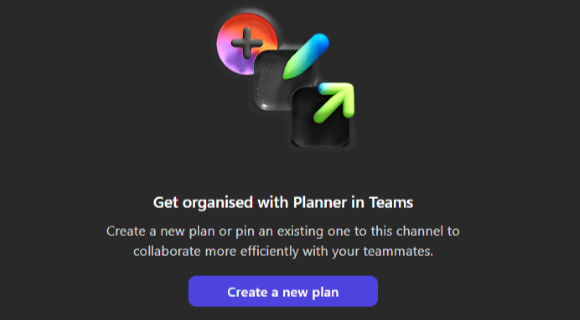
Microsoft Teams: New Sections for Muted and Meeting Chats
Microsoft Teams will introduce new sections to help organize your chat list, including Muted chats and Meeting chats. Muted conversations will automatically move to a dedicated section, making it easier to focus on active discussions while still keeping muted chats accessible.
Users can also choose to enable a separate section for meeting chats to better organize conversations tied to meetings. These sections can be turned on or off and rearranged based on your preferences.
Categories: Science and Technology